18 Biophilic Home Office Ideas That Promote Better Focus (Literally): Simple Designs Backed By Science
We spend more time working from home than ever, yet our home offices often feel like afterthoughts, cluttered desks, harsh artificial light, and zero connection to the outside world. That’s a problem because our brains are wired to respond to nature. Biophilic design brings elements of the natural world into our interiors to reduce stress, improve attention, and boost creativity. In this text we’ll explain why biophilic design actually improves focus, then walk through layout, lighting, plants, materials, sound, scent, tech, and 18 practical ideas you can carry out in days. These aren’t vague aesthetic tips, they’re straightforward, science-informed changes we can make to help our brains concentrate better (literally).
Why Biophilic Design Actually Improves Focus And Productivity
Biophilic design isn’t just a trend, it’s rooted in cognitive and physiological research. Attention Restoration Theory (ART) proposes that natural environments replenish our directed attention by engaging involuntary attention in a soft, effortless way. When our directed attention is fatigued, after long stretches of focused work, glances at greenery or natural scenes help restore it. Multiple studies also link exposure to nature with lower cortisol (stress hormone), reduced heart rate, and faster recovery from mental fatigue.
From a practical standpoint, biophilic elements reduce cognitive load. Simple views of plants or water create micro-breaks that refresh us quicker than a social media scroll because they require less cognitive effort and trigger calming neural responses. Natural light synchronizes our circadian rhythm, improving alertness and sleep quality, both critical for sustained focus. Auditory cues like gentle water sounds mask distracting, irregular noises without demanding attention, while scents such as citrus or rosemary can enhance alertness and memory in short bursts.
In short, biophilic design improves environmental quality, and the brain responds. The outcome we care about is measurable: better sustained attention, higher task accuracy, and often faster creative problem solving. Over the next sections we translate these mechanisms into practical design moves we can apply to our home offices.
Optimize Layout And Sightlines For Calm, Concentrated Work
Layout and sightlines determine what our eyes and mind encounter during working hours. We want the layout to minimize interruptions while providing easy visual access to restorative elements.
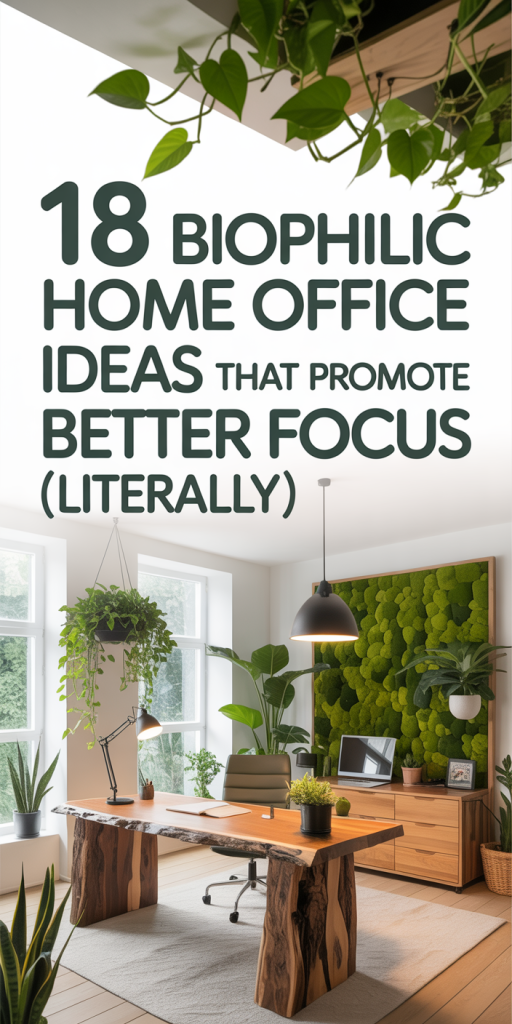
Start with desk placement. Whenever possible, orient the desk so we can see a window without turning away from the monitor, this gives a direct sightline to outside greenery and daylight. If a window view isn’t available, position the desk to face a curated indoor focal point: a plant cluster, a living wall, or an art print of a natural scene.
Create distinct zones. Separate high-focus zones (desk, monitor) from low-focus zones (reading nook, standing stretch area). This physical separation reduces task-switching costs because our bodies learn to associate each zone with a type of activity.
Control traffic and distractions. Place frequently used storage and equipment within arm’s reach to avoid interruptions, and put high-traffic routes away from the primary sightline. If household noise is an issue, use a room divider with natural materials, rattan, bamboo, or a fabric screen, to shield the workspace without blocking light.
Frame views. Use shelves or plants to create a layered foreground that frames the view out the window. That compositional depth is pleasing to the eye and encourages restorative glances without inviting prolonged distraction.
Finally, prioritize ergonomics alongside aesthetics. A comfortable chair, correct monitor height, and an uncluttered desk reduce physical discomfort, which otherwise becomes a cognitive distraction. When layout, sightlines, and ergonomics work together, our attention can stay where we want it, on the work.
Maximize Natural Light, Ventilation, And Thermal Comfort
Natural light, fresh air, and comfortable temperature are the triad that supports sustained cognitive performance. Each has measurable effects: daylight improves mood and alertness via circadian entrainment: ventilation reduces CO2 buildup and drowsiness: thermal comfort prevents cognitive decline associated with overheating or chill.
Light: Aim for as much indirect daylight as possible. Use sheer curtains or adjustable blinds to diffuse glare. If glare is unavoidable on screens, introduce a secondary task light with a warm-to-neutral temperature (3000–4000K) and adjustable brightness. For north-facing rooms with limited sun, add a daylight-simulating lamp with a high CRI (Color Rendering Index) and programmable intensity to support alertness on dim days.
Ventilation: Keep windows operable and crack them open for short bursts, five to ten minutes every hour can noticeably refresh air quality. If outdoor noise or air quality is a concern, use an air exchanger or a HEPA filter with a modest fan speed: cleaner air equals better focus. Indoor plants with proven air-purifying traits (e.g., snake plant, pothos) can complement ventilation but don’t rely on them alone for serious air exchange.
Thermal comfort: Maintain a stable temperature in the comfort zone of about 68–74°F (20–23°C). Small changes matter, being too warm slows cognitive processing, while being too cold distracts us. Use a programmable thermostat or a small personal heater/fan to micro-adjust the immediate workspace without over-conditioning the whole house.
Lighting, ventilation, and temperature are foundational. When we tune them, everything else, concentration, creativity, mood, follows more reliably.
Choose Plants, Placement, And Care To Support Concentration
Plants are the most obvious biophilic element, but choosing the right species and placement makes the difference between a distraction and a focus aid.
Select forgiving plants. We recommend low-maintenance species that tolerate office conditions: snake plant (Sansevieria), pothos, ZZ plant, spider plant, and philodendron. For a touch of texture and scent, consider rosemary or a small lemon thyme, both can stimulate alertness in short doses.
Scale and placement: Place larger plants off to the side of the desk to create a calming peripheral view. A tall plant behind the monitor can provide a green backdrop without blocking light. Desktop plants should be compact (3–8 inches) and in plain pots to avoid visual clutter. Living walls and tall planters work well in secondary zones to cue restorative micro-breaks.
Care routines: Schedule plant care into our weekly rituals, water, pruning, dusting leaves. Healthy plants look better and signal an organized environment, which influences our cognitive state. Use a moisture meter or self-watering planters if we’re prone to forget.
Consider biophilic variety: Mix broad-leaf plants with fine-textured ones to mimic natural complexity: our visual systems prefer this variation. Add a seasonal flowering plant or bulb for occasional novelty, small changes in biophilic elements renew attention and curiosity.
Finally, avoid plants that trigger allergies or require high maintenance. The goal is calming presence, not extra chores or sneezes.
Use Natural Materials, Textures, And A Focused Color Palette
Materials, textures, and color influence attention more subtly than plants but are no less important. Natural materials foster tactile comfort and a sense of authenticity that reduces mental friction.
Materials: Prioritize wood, cork, stone, and woven fibers for desks, shelving, and accessories. A wooden desktop or cork bulletin board provides warmth and low-level sensory input that feels stable. If budget or sustainability is a priority, reclaimed wood and cork are excellent choices.
Textures: Layer textures to create quiet visual interest, linen curtains, a wool rug under the desk, a woven chair cushion. These tactile elements create a calming backdrop and prevent the office from feeling sterile, which can actually increase cognitive fatigue.
Color palette: Stick to a focused palette inspired by nature: muted greens, soft blues, warm neutrals, and occasional earthy terracotta. Use color strategically, muted greens and blues encourage calm and concentration, while small accents (mustard, coral) can be introduced sparingly to stimulate creativity without overwhelming.
Limit competing patterns. Too many high-contrast patterns increase visual clutter and slow visual processing. Instead, aim for cohesion: a dominant neutral, a secondary natural tone, and one accent. That restraint keeps our visual field restful and attention-friendly.
Material choices also influence acoustics and ergonomics. Soft textiles absorb sound: wooden surfaces reflect it. Balance reflective and absorptive elements to reduce echo and maintain a comfortable sound level.
Incorporate Water, Soundscapes, And Scent For Cognitive Benefits
Water, sound, and scent operate on our attention system in ways that complement visual biophilia. When used intentionally, they can boost focus and mood.
Water: Small tabletop fountains or desktop trickles provide steady, predictable sounds that mask disruptive noise without drawing attention. Place a fountain out of direct view but within earshot so the sound becomes background ambience rather than a focal point. Keep fountains clean to avoid odors.
Soundscapes: Nature-based soundtracks, rain, ocean waves, rustling leaves, support sustained attention by providing a gentle, non-threatening auditory environment. Use headphones or a discrete speaker, and favor looped tracks that avoid sudden changes. Volume should be low enough to be unobtrusive but high enough to mask intermittent household sounds.
Scent: Certain scents have short-term cognitive effects. Citrus and peppermint can increase alertness, while lavender and chamomile promote relaxation. Use scent sparingly and situationally: citrus or rosemary for focused morning sessions: lavender for post-lunch winding down. Prefer natural essential oils or candle alternatives with good ventilation: avoid overpowering fragrances that may irritate.
Combine modalities: A low fountain plus a subtle rainforest track or wind sound creates a multisensory natural environment. Multimodal biophilia tends to be more restorative because it engages multiple involuntary attention pathways without competing with cognitive tasks.
Be mindful of tolerance: Not everyone responds the same to scents or sounds. Test changes incrementally and adjust based on how we, and any household coworkers, react.
Biophilic Tech, Accessories, And Low-Distraction Solutions
Technology needn’t clash with biophilic goals. The right tech and accessories can enhance natural connections while minimizing distraction.
Screen solutions: Use anti-glare screens, adjustable monitor arms, and matte finishes to reduce visual noise. Consider a second monitor for split tasks but place it so the main monitor remains central and uncluttered. Reduce desktop icons and use a calm desktop wallpaper, an unobtrusive landscape or a single-color texture helps maintain focus.
Smart lighting: Integrate tunable white lights that shift color temperature through the day to mimic natural circadian cues, cooler in the morning, warmer in the evening. Program transitions slowly to avoid noticeable disruptions.
Cable management and storage: Visible cables and piles of paper increase cognitive load. Use cable channels, drawer organizers, and minimal desktop trays. A simple rule: if we haven’t used a paper item in a week, archive or digitize it.
Low-distraction tools: Use physical timers (Pomodoro timers), analog task cards, or a whiteboard to externalize to-do lists and reduce the cognitive burden of remembering tasks. Noise-cancelling headphones are invaluable when household noise peaks: pairing them with nature soundtracks doubles the benefit.
Biophilic accessories: Natural desk mats (cork or leather), plant-themed screensavers, and biodegradable desk organizers reinforce the theme without becoming visual clutter. The aim is consistency: small, intentional choices that support calm and reduce friction between us and our work.
18 Practical Biophilic Ideas You Can Implement This Week (By Category)
Below are 18 actionable ideas grouped so we can pick a few to carry out immediately. These range from low-cost swaps to moderate weekend projects.
Layout & Sightlines
- Move the desk to face or flank a window: Even a peripheral view of sky or trees helps. (Low effort)
- Create a ‘green backdrop’: Place a tall plant or compact shelf of plants behind your monitor to provide a steady restorative view. (Low–medium effort)
- Define a micro-break zone: Add a small chair or pouf and a plant nearby for 5–10 minute breaks to mentally reset. (Medium effort)
Light, Air & Thermal
- Replace heavy curtains with sheer panels to diffuse daylight while reducing glare. (Low effort)
- Install a daylight lamp with programmable brightness for dim days. (Medium effort)
- Use a compact HEPA filter or open windows strategically for short ventilation bursts. (Low–medium effort)
Plants & Care
- Add three easy-care plants (snake plant, pothos, spider plant) and place them at layered heights. (Low effort)
- Put a small aromatic herb (rosemary or mint) on the desk for occasional sniff-based alertness. (Low effort)
- Set a weekly plant-care checklist in our calendar to keep greenery healthy and tidy. (Low effort)
Materials & Color
- Swap a synthetic desk pad for a cork or leather mat to add tactile warmth. (Low effort)
- Add a natural-fiber rug under the desk to define space and absorb sound. (Medium effort)
- Repaint an accent wall in a muted green or blue to promote calm. (Medium effort)
Water, Sound, Scent
- Place a small tabletop fountain in the room, out of direct sight but within earshot. (Low–medium effort)
- Try a 30-minute nature sound playlist during deep-focus sessions. (Low effort)
- Use a citrus or rosemary essential oil at the start of the day to boost alertness, ventilate well. (Low effort)
Tech & Low-Distraction
- Declutter the desktop: hide icons, clear the physical desk, and use a single-purpose organizer. (Low effort)
- Set up smart lighting to mimic daylight cycles or use a simple tunable lamp. (Medium effort)
- Adopt a physical timer (Pomodoro) and a wall whiteboard to externalize tasks and reduce mental load. (Low effort)
Pick three to start. Implementing a combo, say, moving the desk, adding two plants, and setting a nature sound playlist, creates immediate, compounding benefits. We can add more changes over weeks as we observe what helps most.
Conclusion: Start Small, Measure Focus, And Iterate Your Biophilic Office
Biophilic design doesn’t require a full remodel, small, targeted changes yield measurable improvements in focus and wellbeing. Start with a few low-effort moves that align with our biggest distractions: optimize sightlines, add a couple of low-maintenance plants, and tune light and sound. Track the outcome using simple measures: task completion time, subjective focus ratings after work sessions, or even a short weekly mood log.
Over time, iterate: remove what distracts, amplify what restores. The goal isn’t perfection: it’s creating a workspace that helps our brains do their best work. When we design with nature in mind, we get clarity, resilience, and a little more joy in the daily grind.