How Instacart’s Instant Cashout Actually Works — Smart Ways to Use Same-Day Pay
If you shop for Instacart or are thinking about giving it a try, understanding how pay gets to your account can save stress and help you plan. This guide explains the standard pay rhythm, the on-demand cashout option, timing quirks, practical habits, shoppers’ viewpoints, common troubleshooting, and a simple framework for when to use instant pay versus waiting for scheduled deposits.
1. How Instacart’s regular pay cycle usually operates
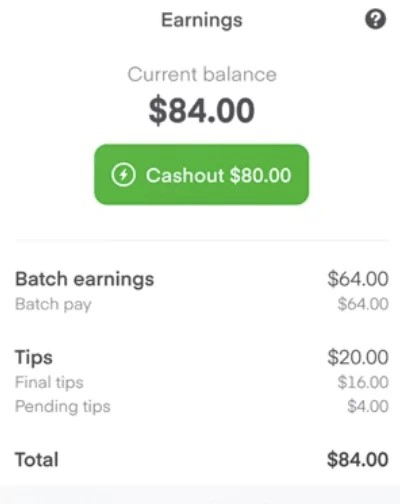
Instacart shoppers typically see two ways their earnings arrive: the platform’s scheduled deposits and the on-demand transfer option. The scheduled route collects your completed work over a pay period and sends a consolidated deposit, which many people use for predictable budgeting. If you rely on steady inflow to cover regular bills, treat that recurring deposit like a paycheck. On the other hand, knowing that a faster option exists can help with short-term cash needs. Practical example: plan monthly bills around the scheduled deposit and reserve the on-demand option for one-off surprises like a sudden car repair or an unexpected utility charge.
2. What Instant Cashout does and how to get started
Instant Cashout is a feature that lets shoppers move available earnings to a linked debit card shortly after they become eligible. To use it, confirm your payment method in the shopper app, check your available balance in the earnings area, and select the in-app option to transfer funds. The process is designed to be fast but typically includes a modest per-transfer fee and some eligibility checks, so it’s not identical to the free scheduled deposit. Practical example: if you complete a cluster of batches and need money for a same-day expense, open the earnings section, verify the available amount, and initiate a transfer to your linked debit card rather than waiting for the regular deposit.
3. Why timing varies: what affects how fast funds land
The apparent speed of an instant transfer depends on a few moving pieces: the platform’s payment processor, your bank’s receiving systems, and any network or app issues. Some banks post transfers almost immediately while others apply internal processing that adds delay. Transfers initiated during standard business hours often move more quickly than those done late at night or on weekends, and unexpected technical issues can slow things further. Practical example: if you need money in a hurry, initiate a transfer earlier in the day on a weekday and choose a mainstream bank account you know usually posts deposits quickly; if you see a delay, check the app’s transaction receipt and your bank’s pending transactions before contacting support.
4. Everyday habits to make instant pay work for you
Using on-demand pay thoughtfully will stretch its value. Don’t treat instant transfers as the default for every batch; consolidate transfers to avoid repeated fees and keep an emergency-only mindset for same-day withdrawals. Pick the payment method that your bank processes quickly, and keep your app payment details accurate—scanning a card or retyping details carefully reduces errors. Also track transactions for your records to reconcile earnings and taxes. Practical example: set a rule to use instant transfers only when you have a one-off expense, like a flat tire, and otherwise let earnings accumulate for the scheduled deposit to avoid extra charges.
5. Shoppers’ trade-offs: why some love instant pay and others don’t
Shoppers praise instant access to earnings because it removes short-term financial friction—useful for immediate needs and to avoid overdrafts. At the same time, critics point out that small per-transaction charges and occasional delays can make frequent use costly or unpredictable. Preferences often reflect personal finances: some rely on instant transfers to cover daily expenses like fuel, while others prefer to wait so they can see the full picture of tips and bonuses before withdrawing. Practical example: one shopper might withdraw immediately after a large batch to pay for gas and groceries, while another accumulates earnings to receive the full total in a single weekly deposit and sidestep recurring fees.
6. Common snags and simple fixes when cashouts don’t work
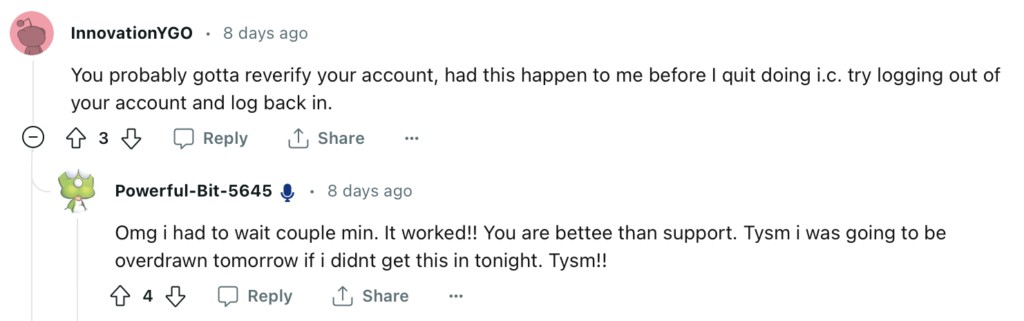
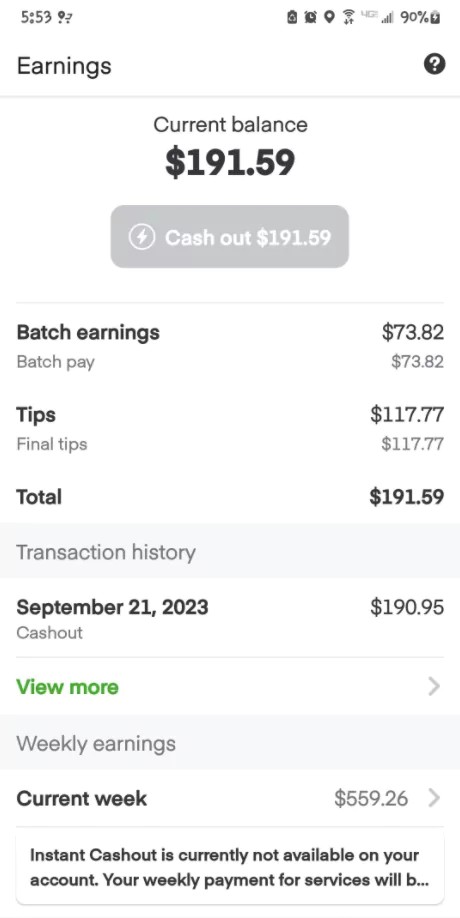
If the cashout option is unavailable or the transfer stalls, start with basic checks: confirm a valid, compatible debit card is linked; ensure your account has the minimum available earnings required by the app; and verify you haven’t hit any in-app limits. If the option remains grayed out, try re-entering card details, switching to a different card, signing out and back in, or reinstalling the app. Keep screenshots of error messages and receipts if you need to contact support. Practical example: many shoppers resolve a greyed-out button simply by removing and re-adding their debit card, while persistent issues may require a support ticket with the platform.
7. A simple decision framework for using instant transfers
Treat instant cashout as a tool for specific needs rather than a default habit. Ask two quick questions before you transfer: is this an urgent expense that can’t wait for the scheduled deposit, and am I okay paying a small fee for quicker access? If the answer to both is yes, proceed; if not, allow your earnings to roll into the regular deposit and avoid added costs. Practical example: use instant transfers for emergency car repairs or when you need to cover an unexpected bill, but rely on the scheduled deposit for rent, recurring utilities, and other planned expenses to maximize value.
Instant Cashout can be a helpful on-demand tool, but it’s most valuable when paired with clear rules about when to use it. Keep payment details current, prioritize larger or emergency withdrawals when speed matters, and rely on the scheduled deposit for routine budgeting to avoid unnecessary fees.