Mastering Instacart’s Demo Orders: A Practical Guide for New Shoppers
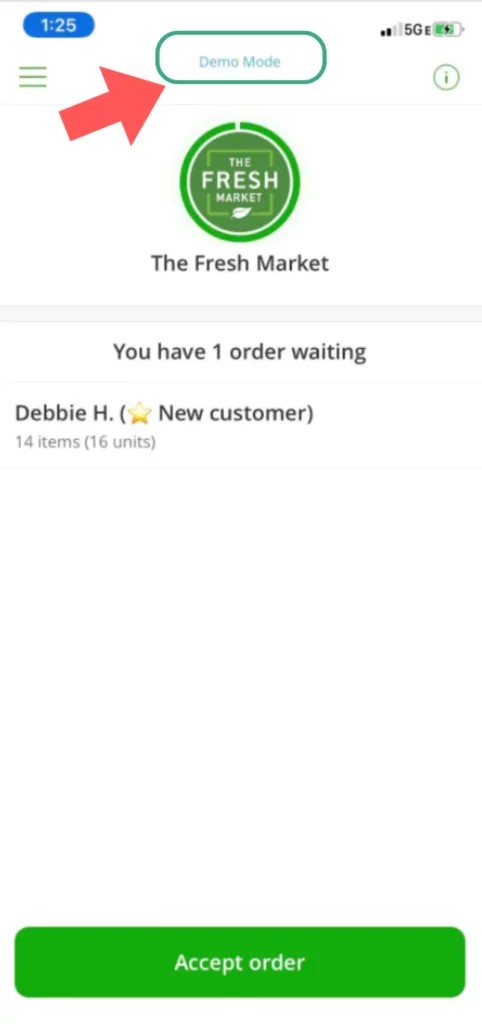
If you’re exploring Instacart as a side gig, the app includes a practice mode that helps you learn the ropes without the pressure of real customers. Below are six focused sections that explain why demo orders matter, how to run them, common questions, and complementary ways to build confidence before accepting paid orders.
1. Why demo orders are worth your time
Demo orders are a low-stakes way to develop skills you’ll actually use on the job: speed, accuracy, and decision-making. Practicing in the app lets you figure out how item lists display, how to log substitutions, and how long each step takes. For example, running a mock 12-item grocery list helps you estimate how many items you can pick per minute; simulating an alcohol order teaches you the verification prompts; and practicing a bulky, three-item bulk purchase shows how to mark oversized items for pickup or delivery. These rehearsals won’t change your earnings or ratings, but they can reduce rookie mistakes and boost your confidence once you start taking paid batches.
2. What a demo order actually is (and isn’t)
A demo order is a simulated shopping task inside the Instacart Shopper app that imitates the flow of a real order without requiring a store visit or delivery. It mirrors many app screens—item lists, weight or scan prompts, and checkout steps—so you can practice scanning, selecting replacements, and completing the final steps. It’s not a paid assignment, doesn’t affect your shopper metrics, and won’t include real customers or tip feedback. Think of it as a guided walkthrough: you won’t encounter empty shelves or surprise customer messages, but you will become familiar with the app’s interface and sequence of tasks that form the backbone of actual shopping.
3. Step-by-step: running a demo order in the app
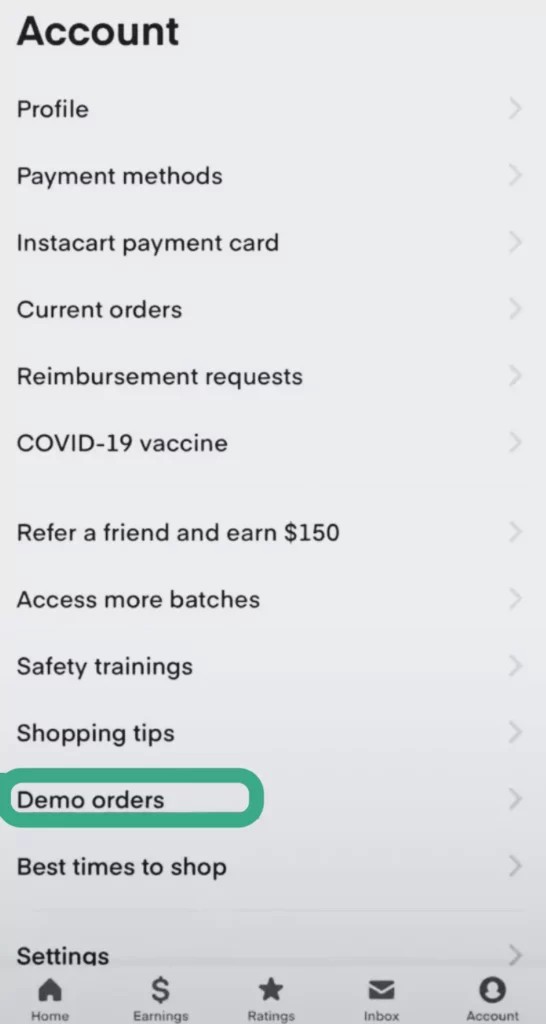
Accessing a demo order is done inside the Shopper app’s menu—look for the practice or demo option, select a sample order, and tap to start. The app will present store details, item counts, and on-screen prompts for scanning, weighing, or choosing substitutions. Try a few variations: complete a 10-item household essentials demo to practice fast aisle navigation; run a produce-heavy mock to practice weight-based entries; or simulate a multi-store scenario if available. Treat each run like a timed drill—note how long checkout takes, practice messaging a mock customer about a substitution, and repeat any step that felt unfamiliar until you can move confidently through the full flow.
4. Quick answers to common demo order questions
Many new shoppers ask whether demo orders are required, paid, or realistic. They’re optional practice sessions and are unpaid; their purpose is learning rather than income. You won’t need to visit stores or deliver anything, and your shopper rating isn’t affected. Demo runs won’t always capture real-world surprises like out-of-stock items, angry customers, or busy checkout lines, so treat them as a skills rehearsal rather than the complete experience. If you wonder whether to skip demos, consider doing one or two focused runs—try one that practices substitutions and another that simulates heavier or alcohol items—so you leave for your first paid batch with fewer unknowns.
5. Other learning tools to speed up progress
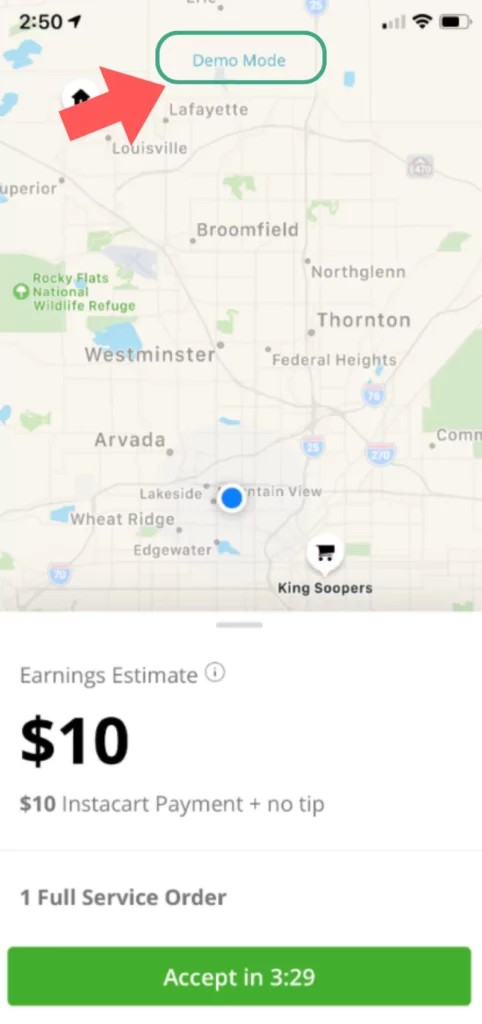
Demo orders are helpful, but pairing them with other resources accelerates learning. Many shoppers combine in-app lessons, short tutorial videos, and community tips to refine technique. For example, follow a step-by-step video on scanning and weighing to reduce checkout errors; try guided lessons that cover picking high-quality produce; and read community threads to learn time-saving routes or how to handle special requests. A short checklist you can keep on your phone—store layout notes, common replacement items, and bagging order—also turns theory into dependable habits during your first paid batches.
6. A simple practice plan to feel ready fast
Create a three-session practice plan before accepting paid orders: session one—run a basic 8–12 item demo to learn navigation and timing; session two—simulate complicated items (weights, flagged alcohol, or bulk goods) and practice substitutions; session three—combine a timed run with a checklist and a short review of mistakes. After each session, note two things that took too long and one improvement to try next time. This structured approach keeps practice focused and efficient, so your first real orders feel manageable rather than overwhelming.
Demo orders are a practical, no-pressure way to learn the app’s workflow. Practice a few focused runs, use other learning tools, and follow a short practice plan so you step into paid batches with clearer expectations and more confidence.